

'%20stroke='%23003550'%20stroke-width='22'/%3e%3cpath%20d='M615.364%20614.797L494.794%20735.367C431.238%20798.923%20328.192%20798.923%20264.636%20735.366C201.08%20671.81%20201.08%20568.765%20264.636%20505.208L385.206%20384.638L615.364%20614.797Z'%20fill='%2314B8A6'%20stroke='%23003550'%20stroke-width='22'/%3e%3cpath%20d='M385.555%20384.205L506.125%20263.635C569.682%20200.079%20672.727%20200.079%20736.284%20263.636C799.84%20327.192%20799.84%20430.237%20736.284%20493.794L615.714%20614.364L385.555%20384.205Z'%20fill='%2361E6D7'%20stroke='%23003550'%20stroke-width='22'/%3e%3cline%20x1='390.262'%20y1='389.7'%20x2='614.902'%20y2='614.341'%20stroke='%23003550'%20stroke-width='22'/%3e%3cpath%20d='M616.636%20259.165C626.365%20259.647%20636.537%20261.479%20647.151%20264.661C653.253%20266.487%20658.198%20268.338%20661.984%20270.212C670.415%20274.389%20678.654%20279.528%20686.701%20285.629C689.518%20287.767%20691.353%20289.797%20692.206%20291.721C694.493%20296.851%20693.148%20303.025%20689.024%20306.79C684.973%20310.49%20680.007%20311.177%20674.74%20309.529C673.716%20309.211%20671.701%20307.861%20668.696%20305.48C653.461%20293.415%20635.08%20286.683%20615.319%20285.693C595.557%20284.713%20576.601%20289.586%20560.241%20300.084C557.016%20302.154%20554.879%20303.296%20553.831%20303.51C548.426%20304.628%20543.552%20303.446%20539.885%20299.361C536.154%20295.211%20535.432%20288.927%20538.212%20284.054C539.254%20282.222%20541.281%20280.383%20544.293%20278.539C552.907%20273.269%20561.616%20268.973%20570.419%20265.65C574.369%20264.16%20579.472%20262.811%20585.727%20261.602C596.603%20259.489%20606.906%20258.676%20616.636%20259.165Z'%20fill='white'/%3e%3cpath%20d='M504.174%20315.988L440.989%20378.952C435.767%20384.156%20435.752%20392.609%20440.956%20397.831L441.293%20398.169C446.497%20403.391%20454.95%20403.406%20460.172%20398.201L523.356%20335.237C528.579%20330.033%20528.594%20321.58%20523.389%20316.358L523.053%20316.021C517.849%20310.798%20509.396%20310.783%20504.174%20315.988Z'%20fill='white'/%3e%3cpath%20d='M395.487%20439.517L395.137%20439.167C389.644%20433.693%20380.753%20433.709%20375.279%20439.202L309.551%20505.16C304.077%20510.653%20304.092%20519.544%20309.585%20525.018L309.936%20525.367C315.429%20530.841%20324.32%20530.826%20329.794%20525.333L395.522%20459.375C400.996%20453.881%20400.98%20444.991%20395.487%20439.517Z'%20fill='white'/%3e%3cpath%20d='M281.513%20608.36C280.758%20623.997%20283.442%20641.206%20290.879%20655.184C293.171%20659.505%20293.516%20663.88%20291.913%20668.309C288.362%20678.136%20275.324%20680.069%20268.857%20672.526C267.919%20671.439%20266.204%20667.92%20263.712%20661.969C256.238%20644.153%20253.368%20626.091%20254.281%20607.015C255.194%20587.929%20259.78%20570.236%20268.922%20553.245C271.973%20547.571%20274.017%20544.239%20275.054%20543.247C282.212%20536.376%20295.007%20539.589%20297.598%20549.729C298.766%20554.29%20298.005%20558.608%20295.315%20562.683C286.573%20575.865%20282.258%20592.724%20281.513%20608.36Z'%20fill='white'/%3e%3c/svg%3e)
'%3e%3cpath%20d='M222%20640%20L214%20476%20Q212%20432%20256%20432%20Q304%20434%20334%20462%20Q356%20482%20384%20452%20L424%20404%20Q440%20386%20458%20402%20L526%20470%20Q586%20528%20684%20546%20Q822%20568%20838%20640%20Z'%20fill='%23A8AFB8'%20stroke='%23003550'%20stroke-width='24'%20stroke-linejoin='round'/%3e%3cpath%20d='M226%20520%20Q262%20506%20292%20520'%20stroke='%23003550'%20stroke-width='18'%20stroke-linecap='round'%20fill='none'%20opacity='0.18'/%3e%3cpath%20d='M300%20596%20Q430%20540%20610%20590'%20stroke='white'%20stroke-width='30'%20stroke-linecap='round'%20fill='none'/%3e%3cline%20x1='470'%20y1='420'%20x2='430'%20y2='462'%20stroke='%23003550'%20stroke-width='20'%20stroke-linecap='round'/%3e%3cline%20x1='502'%20y1='450'%20x2='462'%20y2='492'%20stroke='%23003550'%20stroke-width='20'%20stroke-linecap='round'/%3e%3cline%20x1='536'%20y1='480'%20x2='498'%20y2='520'%20stroke='%23003550'%20stroke-width='20'%20stroke-linecap='round'/%3e%3cpath%20d='M198%20640%20L846%20640%20Q868%20640%20866%20664%20L862%20684%20Q857%20716%20822%20716%20L224%20716%20Q188%20716%20188%20684%20L188%20650%20Q188%20640%20198%20640%20Z'%20fill='%23E4E7EB'%20stroke='%23003550'%20stroke-width='24'%20stroke-linejoin='round'/%3e%3cline%20x1='242'%20y1='678'%20x2='430'%20y2='678'%20stroke='%23003550'%20stroke-width='16'%20stroke-linecap='round'%20opacity='0.15'/%3e%3c/g%3e%3c/svg%3e)


'%3e%3crect%20x='220'%20y='230'%20width='620'%20height='420'%20rx='44'%20fill='%23F4EADA'%20stroke='%23003550'%20stroke-width='34'/%3e%3c/g%3e%3cg%20transform='rotate(-6%20480%20540)'%3e%3crect%20x='150'%20y='330'%20width='620'%20height='420'%20rx='44'%20fill='%23FFFFFF'%20stroke='%23003550'%20stroke-width='34'/%3e%3cpath%20transform='translate(345%20545)%20scale(1.6)'%20d='M0%2066%20C-66%2024%20-90%20-20%20-68%20-48%20C-50%20-70%20-18%20-64%200%20-38%20C18%20-64%2050%20-70%2068%20-48%20C90%20-20%2066%2024%200%2066%20Z'%20fill='%23CEA058'%20stroke='%23003550'%20stroke-width='20.0'%20stroke-linejoin='round'/%3e%3cpath%20transform='translate(345%20545)%20scale(1.6)'%20d='M-58%20-26%20Q-58%20-46%20-42%20-52'%20stroke='%23FFFFFF'%20stroke-width='11.2'%20stroke-linecap='round'/%3e%3cpath%20d='M525%20495%20H690%20M525%20600%20H650'%20stroke='%23CEA058'%20stroke-width='40'%20stroke-linecap='round'/%3e%3c/g%3e%3c/svg%3e)






Meal Planner: Answer 'What's for Dinner?' Once a Week, Not Every Night
Daily dinner decisions are exhausting. Here is why the Meal Planner matters and how to plan a week of meals that saves time, money and mental energy.
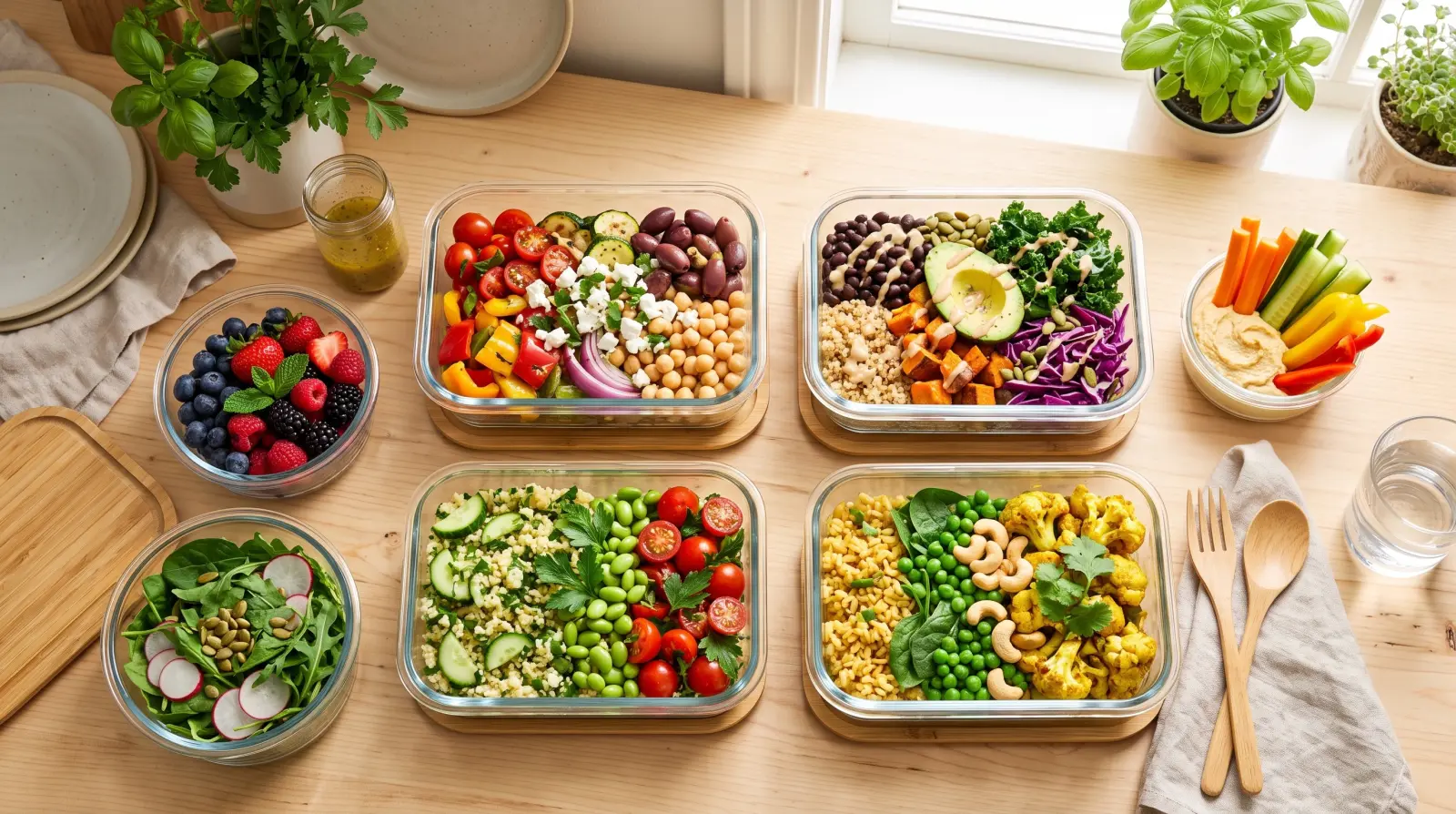
"What's for dinner?" is a small question that drains a surprising amount of energy when you answer it from scratch every single night. The Meal Planner lets you answer it once for the whole week - so evenings get simpler, shopping gets smarter, and less food goes to waste.
Why meal planning matters
Deciding meals day by day leads to last-minute takeaways, impulse shopping and ingredients that quietly go off at the back of the fridge. Planning the week in advance means you buy what you will actually cook, use what you buy, and hand the nightly decision fatigue back to your future self in one short session instead of seven stressful ones.
It also makes a household run more smoothly. When the plan is written down and shared, nobody has to ask four times what is on tonight, whoever gets home first can start cooking, and the two busy evenings you already know about get something quick instead of a debate.
What the Meal Planner does
- Plan by day: put each meal on the day you will cook it and see the whole week at a glance.
- Plan by type: sort every entry into breakfast, lunch, dinner or snacks - or use it only for dinners if that is the meal you need to think about.
- Attach notes and recipes: add ingredients, a method or a link to any meal so you know exactly what to cook.
- Edit and check off anytime: move a meal to another day, change its type, or tick it off as it hits the table.
- Share the plan: everyone on it sees the same week, updated on every device.
A simple weekly routine that sticks
The best meal plan is the one you actually keep. This routine takes about fifteen minutes once a week, ideally on the same day each time - Sunday afternoon works for many households.
- Look at the week ahead first: late shifts, training, a dinner out. Mark the busy nights before choosing any meals.
- Check what you already have in the fridge and cupboard, and plan the first meals of the week around it.
- Fill in dinners first, then lunches and breakfasts only if they need planning at all.
- Give busy nights something quick or a leftover, and save the more ambitious recipe for a calmer evening.
- Attach the recipe or the key ingredients to each meal while you are thinking about it.
- From each meal, send the missing ingredients to your Shopping List, shared with the same people, so the plan and the shop match.
Pair it with your Shopping List
Meal Planner plans what you will eat, and your Shopping List holds what you need to buy, shared with the same people. The two are connected: open a meal, tick the ingredients you still need, tap Continue and pick the list they should go on - the whole loop from "what are we eating" to standing in the aisle stays inside one app.
Decide once, write it down, and let the week answer the 6pm question for you.
Tips for different households
- Families: plan around training and late shifts, and let everyone see tonight's meal so the questions stop.
- Couples: decide dinners together once a week and skip the nightly back-and-forth.
- Flatmates: share a plan for the meals you cook together and keep your own for the rest.
- Meal prep: map out batch-cooking days, note the portions in the meal notes and attach the recipe.
Common mistakes to avoid
- Planning every meal of every day in the first week - start with dinners and grow from there.
- Choosing seven new recipes at once - mix one or two new dishes with favorites you know work.
- Forgetting leftovers - plan a leftover night so cooked food gets eaten instead of thrown away.
- Treating the plan as fixed - when the week changes, move the meal to another day rather than abandoning the plan.
After a few weeks, the notes and recipes you attached turn the Meal Planner into a small collection of the dishes your household actually eats. Planning gets faster, because the good ideas are already there.
Questions people ask
Is Meal Planner free?
Yes. Planning meals by day and type, recipes, notes and checking meals off are all on the free plan. Premium is about inviting other people into your own rooms.
Does it create a shopping list automatically?
Not automatically, but it takes a few taps: open a meal, tick the ingredients you still need, tap Continue and pick the shopping list they should go on.
Can I plan meals with my family or flatmates?
Yes. Share the plan and everyone sees the same week on their own phone. When someone moves a meal or ticks one off, the change reaches everyone on the plan.
Does it count calories?
No. It plans the food - what, when and how to cook it - and leaves nutrition tracking out.
Can I use it offline?
You can view your meal plan offline, so it is always there to check. Adding or editing meals needs a connection, and changes sync as soon as you are back online.
 Featured moduleMeal PlannerThe week of meals, planned together.Explore this module
 Ready to get organized?
Listub brings your lists, plans and notes into one calm, private place that syncs across every device - and lets you share with the people who matter.
Get Listub free