

'%3e%3cpath%20d='M222%20640%20L214%20476%20Q212%20432%20256%20432%20Q304%20434%20334%20462%20Q356%20482%20384%20452%20L424%20404%20Q440%20386%20458%20402%20L526%20470%20Q586%20528%20684%20546%20Q822%20568%20838%20640%20Z'%20fill='%23A8AFB8'%20stroke='%23003550'%20stroke-width='24'%20stroke-linejoin='round'/%3e%3cpath%20d='M226%20520%20Q262%20506%20292%20520'%20stroke='%23003550'%20stroke-width='18'%20stroke-linecap='round'%20fill='none'%20opacity='0.18'/%3e%3cpath%20d='M300%20596%20Q430%20540%20610%20590'%20stroke='white'%20stroke-width='30'%20stroke-linecap='round'%20fill='none'/%3e%3cline%20x1='470'%20y1='420'%20x2='430'%20y2='462'%20stroke='%23003550'%20stroke-width='20'%20stroke-linecap='round'/%3e%3cline%20x1='502'%20y1='450'%20x2='462'%20y2='492'%20stroke='%23003550'%20stroke-width='20'%20stroke-linecap='round'/%3e%3cline%20x1='536'%20y1='480'%20x2='498'%20y2='520'%20stroke='%23003550'%20stroke-width='20'%20stroke-linecap='round'/%3e%3cpath%20d='M198%20640%20L846%20640%20Q868%20640%20866%20664%20L862%20684%20Q857%20716%20822%20716%20L224%20716%20Q188%20716%20188%20684%20L188%20650%20Q188%20640%20198%20640%20Z'%20fill='%23E4E7EB'%20stroke='%23003550'%20stroke-width='24'%20stroke-linejoin='round'/%3e%3cline%20x1='242'%20y1='678'%20x2='430'%20y2='678'%20stroke='%23003550'%20stroke-width='16'%20stroke-linecap='round'%20opacity='0.15'/%3e%3c/g%3e%3c/svg%3e)


'%3e%3crect%20x='220'%20y='230'%20width='620'%20height='420'%20rx='44'%20fill='%23F4EADA'%20stroke='%23003550'%20stroke-width='34'/%3e%3c/g%3e%3cg%20transform='rotate(-6%20480%20540)'%3e%3crect%20x='150'%20y='330'%20width='620'%20height='420'%20rx='44'%20fill='%23FFFFFF'%20stroke='%23003550'%20stroke-width='34'/%3e%3cpath%20transform='translate(345%20545)%20scale(1.6)'%20d='M0%2066%20C-66%2024%20-90%20-20%20-68%20-48%20C-50%20-70%20-18%20-64%200%20-38%20C18%20-64%2050%20-70%2068%20-48%20C90%20-20%2066%2024%200%2066%20Z'%20fill='%23CEA058'%20stroke='%23003550'%20stroke-width='20.0'%20stroke-linejoin='round'/%3e%3cpath%20transform='translate(345%20545)%20scale(1.6)'%20d='M-58%20-26%20Q-58%20-46%20-42%20-52'%20stroke='%23FFFFFF'%20stroke-width='11.2'%20stroke-linecap='round'/%3e%3cpath%20d='M525%20495%20H690%20M525%20600%20H650'%20stroke='%23CEA058'%20stroke-width='40'%20stroke-linecap='round'/%3e%3c/g%3e%3c/svg%3e)






Health Cabinet: Never Miss a Dose or Run Out Again
Managing medications and supplements by memory is risky. Here is why Health Cabinet matters and how to stay on schedule and never run out at the wrong time.
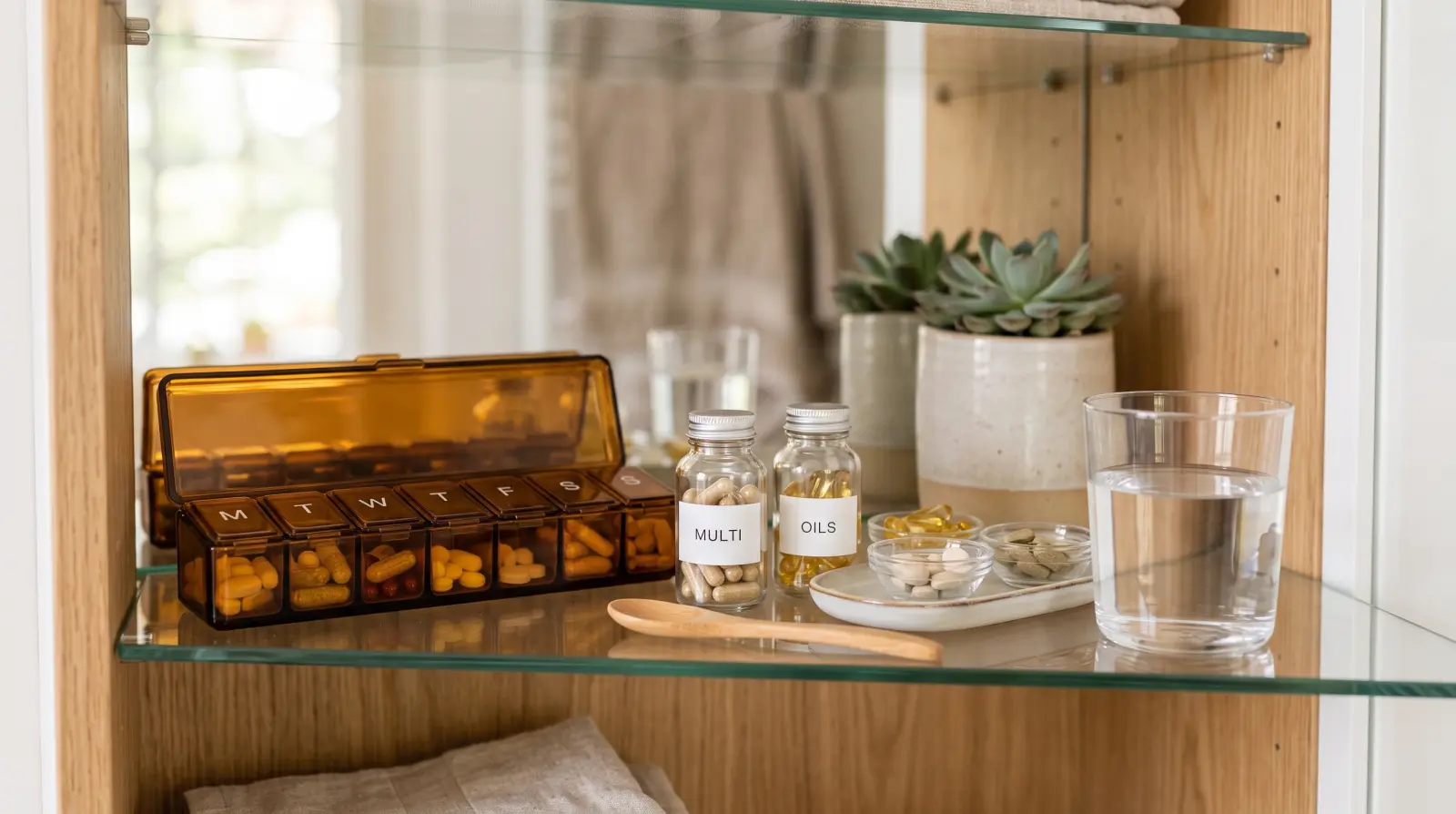
Keeping track of medications, vitamins and supplements by memory works right up until it doesn't - a missed dose here, an empty box there, at exactly the wrong moment. Health Cabinet gives all of it one calm, organized place, with reminders at the times you choose, so staying on top of what you take takes almost no effort.
One thing first, because it matters: Health Cabinet records and reminds. It never advises. It shows back what you typed in - the name, the form, the dosage written on the box, the times you picked. What to take, how much and when is between you, your doctor and your pharmacist, and the label and their instructions always stay the source of truth.
Why organized medication matters
Missed doses and last-minute pharmacy runs are stressful and mostly avoidable. The problem is rarely that people don't care - it is that memory is a poor place to keep a schedule. A morning tablet, a vitamin with dinner and a short course that ends on Friday are three different rhythms, and on a busy day one of them slips. Then comes the familiar question at 9pm: did I already take it?
An alarm on your phone helps a little, but after a few weeks you have five alarms and no idea which one was for what. Health Cabinet ties each reminder to the medication it belongs to, records the dose you tick off and keeps an eye on how many are left. The whole household's health notes stay tidy and reachable instead of being spread across boxes, a drawer and three phones.
Setting up your cabinet in ten minutes
The easiest way to start is with the boxes in front of you. Gather everything you currently take - prescriptions, vitamins, supplements - and go through them one by one.
- Add each item with its name, form and strength, and copy the dosage exactly as it is written on the box or the pharmacy label.
- Set the reminder times that fit your day - daily, on specific days, or as a course with an end date.
- With Premium, enter how many tablets or doses are left in the pack, so Listub can warn you before it runs out.
- Use the notes field for anything you would otherwise forget: take with food, the pharmacy that holds the repeat prescription, the date a short course ends.
- Keep vitamins and supplements in the same cabinet - they are part of the routine too.
Tick it off, then trust the history
When a reminder arrives, tap taken, skipped or postponed. It sounds like a small step, but it is the one that removes the doubt. Afterwards a colour-coded calendar shows you what was ticked and when, so the answer to "did I take it this morning?" is on your screen instead of in your memory. If you bring a record to an appointment, the history also makes it easier to tell your doctor or pharmacist how things have actually gone.
Never run out at the wrong moment
Running out usually happens on a weekend, on holiday or the evening before an early start. On Premium, Health Cabinet counts down the pack as you enter what is left and flags a low supply while there is still time to reorder or walk to the pharmacy. A good habit is to update the count whenever you open a new box, so the warning stays accurate.
Everyday situations it handles well
- Daily vitamins: a morning vitamin, a supplement with dinner - set the times once and stop second-guessing yourself in the evening.
- A short course: add it with its end date in the notes so you finish it properly and it doesn't linger in the cabinet afterwards.
- Caring for a parent: enter their medications and times yourself, then check the dose history later instead of phoning to ask.
- A busy household: one family cabinet for the kids' short courses, your own repeats and what the pharmacy still owes you, handled by whoever normally handles it.
A list only sits there. A cabinet that knows your times, records each dose and counts what is left does the remembering for you.
Common mistakes to avoid
- Setting reminders for times you are usually busy - choose a time that fits a routine you already have, like breakfast or brushing your teeth.
- Leaving the stock count at zero - without it, the refill warning cannot help you.
- Ignoring reminders instead of marking them skipped or postponed - an honest history is far more useful than a gap.
- Treating the cabinet as advice - it is your record; any change to what you take should come from your doctor or pharmacist.
Questions people ask
Does Health Cabinet tell me what to take or how much?
No, and it never will. Listub only shows back what you entered. Dosage, timing and any changes are decisions for you, your doctor and your pharmacist.
Can one person manage the medications for everyone at home?
Yes. Share a cabinet and the person who normally keeps track can enter and update everyone's entries in one place. Sharing your own rooms is a Premium feature, but anyone can join a room a Premium member shares with them and use it fully.
Does it work offline?
You can read your cabinet offline, so names, times and notes are always there to check. Adding or editing entries and ticking doses needs a connection, and those changes sync as soon as you are back online.
Is it free?
Entries, schedules, reminders and the dose history are all on the free plan. Premium adds stock tracking with refill warnings, and inviting other people into your own rooms.
'%20stroke='%23003550'%20stroke-width='22'/%3e%3cpath%20d='M615.364%20614.797L494.794%20735.367C431.238%20798.923%20328.192%20798.923%20264.636%20735.366C201.08%20671.81%20201.08%20568.765%20264.636%20505.208L385.206%20384.638L615.364%20614.797Z'%20fill='%2314B8A6'%20stroke='%23003550'%20stroke-width='22'/%3e%3cpath%20d='M385.555%20384.205L506.125%20263.635C569.682%20200.079%20672.727%20200.079%20736.284%20263.636C799.84%20327.192%20799.84%20430.237%20736.284%20493.794L615.714%20614.364L385.555%20384.205Z'%20fill='%2361E6D7'%20stroke='%23003550'%20stroke-width='22'/%3e%3cline%20x1='390.262'%20y1='389.7'%20x2='614.902'%20y2='614.341'%20stroke='%23003550'%20stroke-width='22'/%3e%3cpath%20d='M616.636%20259.165C626.365%20259.647%20636.537%20261.479%20647.151%20264.661C653.253%20266.487%20658.198%20268.338%20661.984%20270.212C670.415%20274.389%20678.654%20279.528%20686.701%20285.629C689.518%20287.767%20691.353%20289.797%20692.206%20291.721C694.493%20296.851%20693.148%20303.025%20689.024%20306.79C684.973%20310.49%20680.007%20311.177%20674.74%20309.529C673.716%20309.211%20671.701%20307.861%20668.696%20305.48C653.461%20293.415%20635.08%20286.683%20615.319%20285.693C595.557%20284.713%20576.601%20289.586%20560.241%20300.084C557.016%20302.154%20554.879%20303.296%20553.831%20303.51C548.426%20304.628%20543.552%20303.446%20539.885%20299.361C536.154%20295.211%20535.432%20288.927%20538.212%20284.054C539.254%20282.222%20541.281%20280.383%20544.293%20278.539C552.907%20273.269%20561.616%20268.973%20570.419%20265.65C574.369%20264.16%20579.472%20262.811%20585.727%20261.602C596.603%20259.489%20606.906%20258.676%20616.636%20259.165Z'%20fill='white'/%3e%3cpath%20d='M504.174%20315.988L440.989%20378.952C435.767%20384.156%20435.752%20392.609%20440.956%20397.831L441.293%20398.169C446.497%20403.391%20454.95%20403.406%20460.172%20398.201L523.356%20335.237C528.579%20330.033%20528.594%20321.58%20523.389%20316.358L523.053%20316.021C517.849%20310.798%20509.396%20310.783%20504.174%20315.988Z'%20fill='white'/%3e%3cpath%20d='M395.487%20439.517L395.137%20439.167C389.644%20433.693%20380.753%20433.709%20375.279%20439.202L309.551%20505.16C304.077%20510.653%20304.092%20519.544%20309.585%20525.018L309.936%20525.367C315.429%20530.841%20324.32%20530.826%20329.794%20525.333L395.522%20459.375C400.996%20453.881%20400.98%20444.991%20395.487%20439.517Z'%20fill='white'/%3e%3cpath%20d='M281.513%20608.36C280.758%20623.997%20283.442%20641.206%20290.879%20655.184C293.171%20659.505%20293.516%20663.88%20291.913%20668.309C288.362%20678.136%20275.324%20680.069%20268.857%20672.526C267.919%20671.439%20266.204%20667.92%20263.712%20661.969C256.238%20644.153%20253.368%20626.091%20254.281%20607.015C255.194%20587.929%20259.78%20570.236%20268.922%20553.245C271.973%20547.571%20274.017%20544.239%20275.054%20543.247C282.212%20536.376%20295.007%20539.589%20297.598%20549.729C298.766%20554.29%20298.005%20558.608%20295.315%20562.683C286.573%20575.865%20282.258%20592.724%20281.513%20608.36Z'%20fill='white'/%3e%3c/svg%3e) Featured moduleHealth CabinetMeds and vitamins, reminders and refills.Explore this module
Featured moduleHealth CabinetMeds and vitamins, reminders and refills.Explore this module Ready to get organized?
Listub brings your lists, plans and notes into one calm, private place that syncs across every device - and lets you share with the people who matter.
Get Listub free